Pages

Showing posts with label promotion. Show all posts

Wednesday, August 29, 2012

Grab 25gb Cloud Storage Space Free for life - worth €9.99 Per Month-


We all know about DropBox for free online file storage and sharing. But there are many other companies out there offering the same service for free, and one of the most popular and well functioning ones is Box ( formerly Box.net ). Box provides simple, secure sharing from anywhere – letting you easily store files online, send big files fast, access content on-the-go, and collaborate with others.

Normally, Box.net provides users with 5 GB free account with a 25mb file size limit. Now, In honor of the HelloSign launch (a division of HelloFax, and lets you fill out and sign documents online, completely free), Box is giving away 25 GB of Free Online Cloud Storage for life to anyone who checks out HelloSign today. 25 GB never expires, valid for life, worth €9.99 Per Month.

*Offer valid for new box accounts only. You’ll have to create a new account.

Click here to go to the Promo page.

Sunday, July 29, 2012

Download Microsoft Office 2013 Beta for FREE

microsoft office 2013 downloadMicrosoft team has released the next version of Microsoft Office suite, called Microsoft Office 2013 or so called Office 365 Preview. Before, this office suite was code named as Office 15, and is now released to public for free download as Microsoft Office 2013 beta.

Microsoft Office 2013 customer preview version comes with many new features, new metro UI and built in ability to edit pdf files. The download file available for Microsoft Office 2013 is by default offered as a basic installer and the complete package will be downloaded via network with the basic installer. But now you can get the full installer for Microsoft Office 2013 directly from Microsoft website. Check the office 2013 download files given at the end of post.

The most surprising thing is that this version of MS Office 2013 will not support Windows XP or Windows Vista. You’ll require Windows 7 or Windows 8 to install office 2013.

Features of Microsoft Office 2013/ Office 365
  • Metro UI: Fast and fluid interface
  • Create/ edit documents using keyboard, pen or touchscreen
  • Save your work to SkyDrive or SharePoint and access from anywhere.
  • Connect with Facebook and see your updates along side with your mail accounts.
  • New Read mode available for word documents for a clear and focused reading experience on small and big screens.
  • Connect with skype on Office 2013 which includes 60 mins of free international calls every month.
  • High definition video conferencing.
System Requirements for installing Microsoft Office 2013
  • 1GHZ or greater x86/x64 processor
  • 1GB RAM for 32bit and 2GB for 64bit
  • 3.5Gb free hard disk space.
  • Supported O.S: Windows 7, Windows 8, Windows Server 2008 R2 or newer.
  • Graphics: Directx10 graphics card /1024×576 resolution

MS-Office-2013-startup

How to download and install Microsoft Office 2013/ MS Office 365:

The installers for MS Office 2013 are of two types:

A) Online installer for MS Office 2013:
It will download a small setup file first and then after running the setup file, it will download the complete Office package via network. This installer is not useful, if you want to install MS Office 2013 in multiple systems. You can download the online installer for MS Office 2013 for this link.

B) Offline installer for MS Office 2013(Recommended):
This is the complete package of Microsoft Office 2013 preview edition.
Once you download this setup files, you can install Office 2013 in any number of PC’s.

Download Microsoft Office 2013 Full Offline installer:
English:
Direct Download Link for Standalone Offline Installer (32-bit) (624 MB)
Direct Download Link for Standalone Offline Installer (64-bit)(702 MB)

Espanol:
Direct Download Link for Standalone Offline Installer (32-bit) (624 MB)
Direct Download Link for Standalone Offline Installer (64-bit) (702 MB)

Japanese:
Direct Download Link for Standalone Offline Installer (32-bit) (624 MB)
Direct Download Link for Standalone Offline Installer (64-bit) (702 MB)

  • Download the file according to the OS(32bit or 64bit) and install Microsoft Office 2013.
  • It will be installed alongside (not overwrite) previous versions of MS Office such as2003, 2007 or 2010 editions. 
  • You can use this software for free (activation key for office 2013 is not required) until the final version RTM of MS Office 2013 is released.

Sunday, November 27, 2011

Avast antivirus free 1 YEAR Licence Key

Avast Antivirus Home edition is a free antivirus software for all to use only for personal use. It is fully compatible with windows 7 and provides state of the art protection against viruses, worms. Avast also has two other antivirus software solutions Avast Pro Antivirus and Avast Internet Security 2011, but both these versions are not free to download.The Important feature of Avast Antivirus is that it provide an option called Boot time scan which deletes critical viruses.

Monday, January 17, 2011

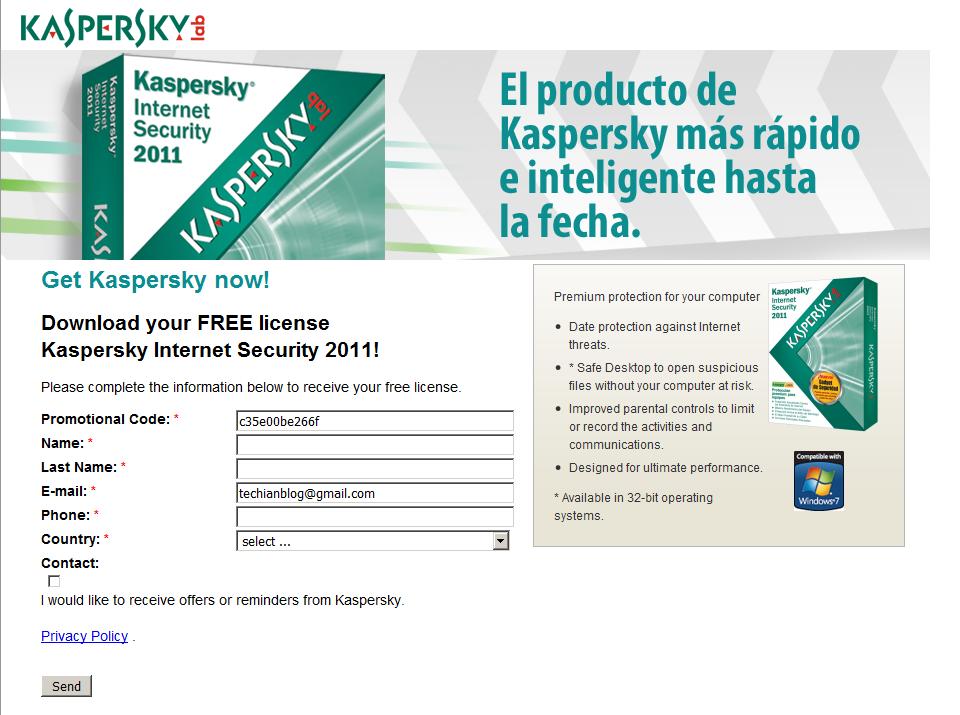
Free License To Kaspersky Internet Security 2011

We all want our desktop, laptops and netbooks to be safe from malicious virus attacks and malwares, for this purpose we use different antivirus to secure our systems. When i comes to getting a full proof security suite Kaspersky Internet Security 2011 is the best utility among all, but it is not free to use you have to purchase a license to activate the program.


Follow the steps below to grab your Free Licence worth $59.99